


Passer aux informations sur le produit


UGREEN Revodok Pro 2101 Docking Station USB C 10 en 1 4K Double Affichage
149,99 €
Avantages clés
Les avantages UGREEN


UGREEN Revodok Pro 2101 Docking Station USB C 10 en 1 4K Double Affichage


Étendez votre espace. Gagnez en efficacité.Les stations d’accueil UGREEN transforment votre ordinateur portable en un véritable centre de travail. Idéales pour le télétravail, la création de contenu ou les configurations multi-écrans, elles permettent de connecter écrans, clés USB, cartes SD, réseau filaire, audio et plus — via un seul port USB-C.
Compatibles avec MacBook, PC Windows, iPad ou Steam Deck, elles offrent des performances stables et une connectivité complète. Prise en charge de l’affichage 4K, de la recharge rapide et du transfert de données haute vitesse.
Specs
| SKU | 15963 |
| Série | Revodok Pro2101 |
| Ports | 10 |
| MoniteurÉtendu | 2 |
| PortsdeDonnées | 1 (USB-C 3.2) 2 (USB-A 3.2) 1 (USB-A 3.0) |
| VitessedeTransfert | USB-C 3.2: 10Gbps USB-A 3.1: 10Gbps USB-A 3.0: 5Gbps |
| Portd'affichage | 1 (HDMI 2.0) 1 (HDMI 1.4) |
| Résolutiond'affichagemax | 4K@60Hz |
| PortdeCharge | 100W |
| PortEthernet | - |
| AutrePort | SD/TF Fente pour Carte |
| Dimensions | L166.5xW79.5xH22.5(mm) |
| Poids(g) | 458 |
Reviews
S
This compact unit does everything needed to expand your laptop to a desktop setting. This works great with my dual 27-inch 1080p monitor setup and a wireless keyboard and mouse. It has extra USB ports for additional peripherals, an SD card reader, and an ethernet connection. It does not come with a power source, but it was not an issue for me. I used my laptop charger as a pass-through to power the unit and my laptop.

S
Die Dockingstation macht bereits beim Auspacken einen wertigen Eindruck auf mich. So wirkt die Verarbeitung solide und das Gerät fühlt sich nicht billig an.
Ebenfalls ist mir direkt die kompakte Abmessung aufgefallen, so kann die Dockingstation ohne Weiteres im Arbeitsrucksack verschwinden und nimmt dabei kaum Platz ein.
In meinem Funktionstest habe ich die Station im Homeoffice an 2 4K Monitoren getestet, diese wurden sofort erkannt und auch die Auflösung stellte kein Problem dar. Beachtet werden sollte allerdings, dass maximal 60Hz wiedergegeben werden können. Für mich spiel dies keine Rolle, allerdings könnte es für den ein oder anderen Gamer relevant sein.
Meine Peripheriegeräte wie Maus, Tastatur, Webcam etc. habe ich über einen KVM Switch mit einem USB-A Kabel angeschlossen, was ebenfalls einwandfrei funktionierte. Sowohl bei meinem getesteten MacBook Pro M1 als auch bei meinem Dienstlichen Lenovo Windows Notebook, haben sowohl die Monitore als auch sämtliche USB-Geräte einwandfrei funktioniert.
Für mich ist ein weiterer Pluspunkt bei dieser Dockingstation der vorhandene SD-Karten-Slot. Sicher ist diese Art des Anschlusses heute nicht mehr so bedeutsam, allerdings benötigt man es doch gelegentlich, um SD-Karten von Dashcam oder Spiegelreflex auszulesen. Dadurch, dass dieser Slot in der Station integriert ist, spart man sich die USB-Adapter, welche dann auch noch meistens nicht auffindbar sind, wenn man sie gerade braucht.
Zusammenfassung
👍 Viele Anschlussmöglichkeiten
👍 funktioniert mit Mac und Windows
P
I was really looking forward to testing this Ugreen Revodok docking station, but the experience was not as smooth as I expected.
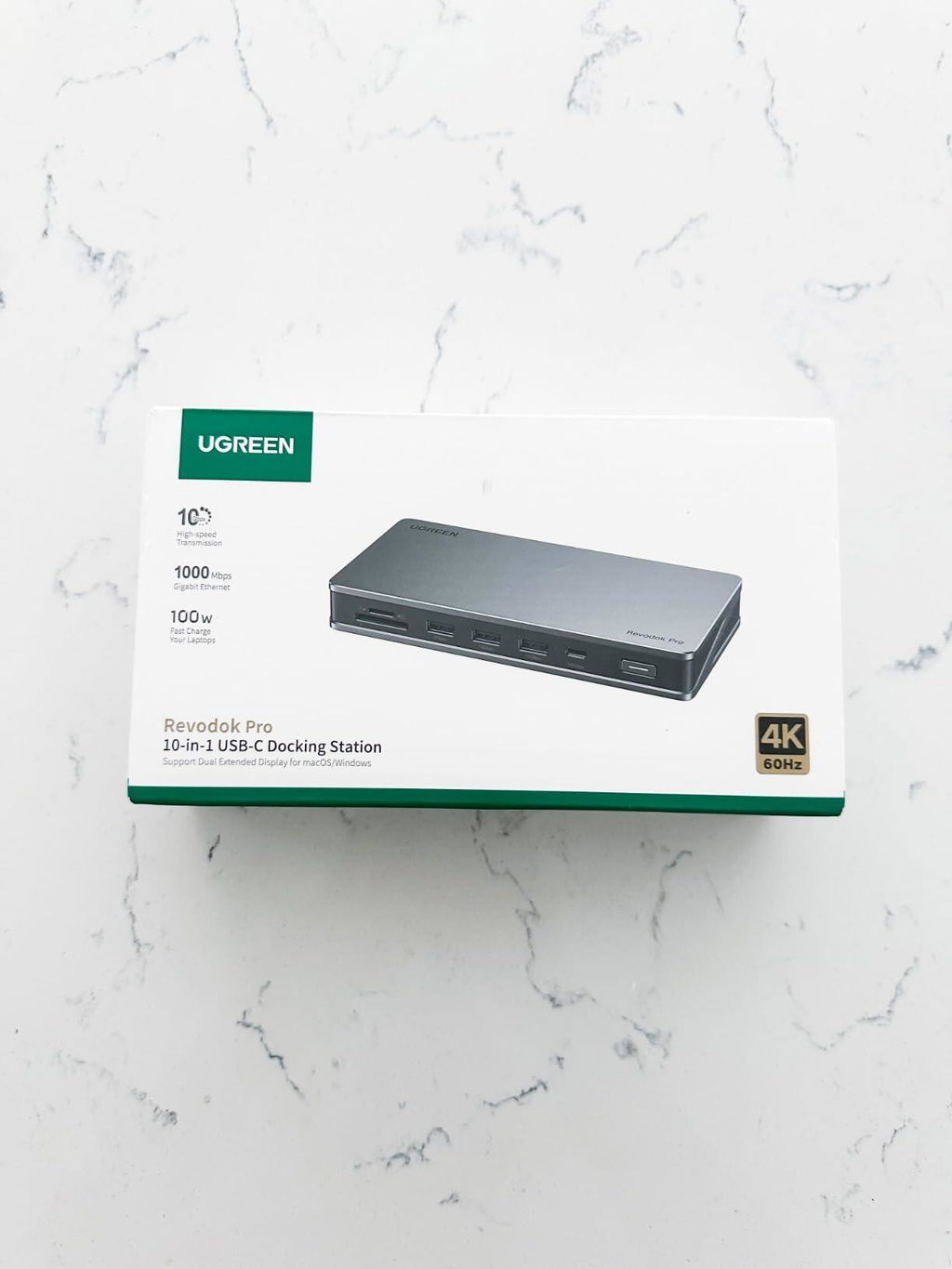
The docking station is presented in a cardboard box along with a substantial USB-C to USB-C lead and a thick book of instructions. The first ten pages are all that are needed for English readers and I have attached pictures to this review - they are numbered as Amazon will mix up the order.
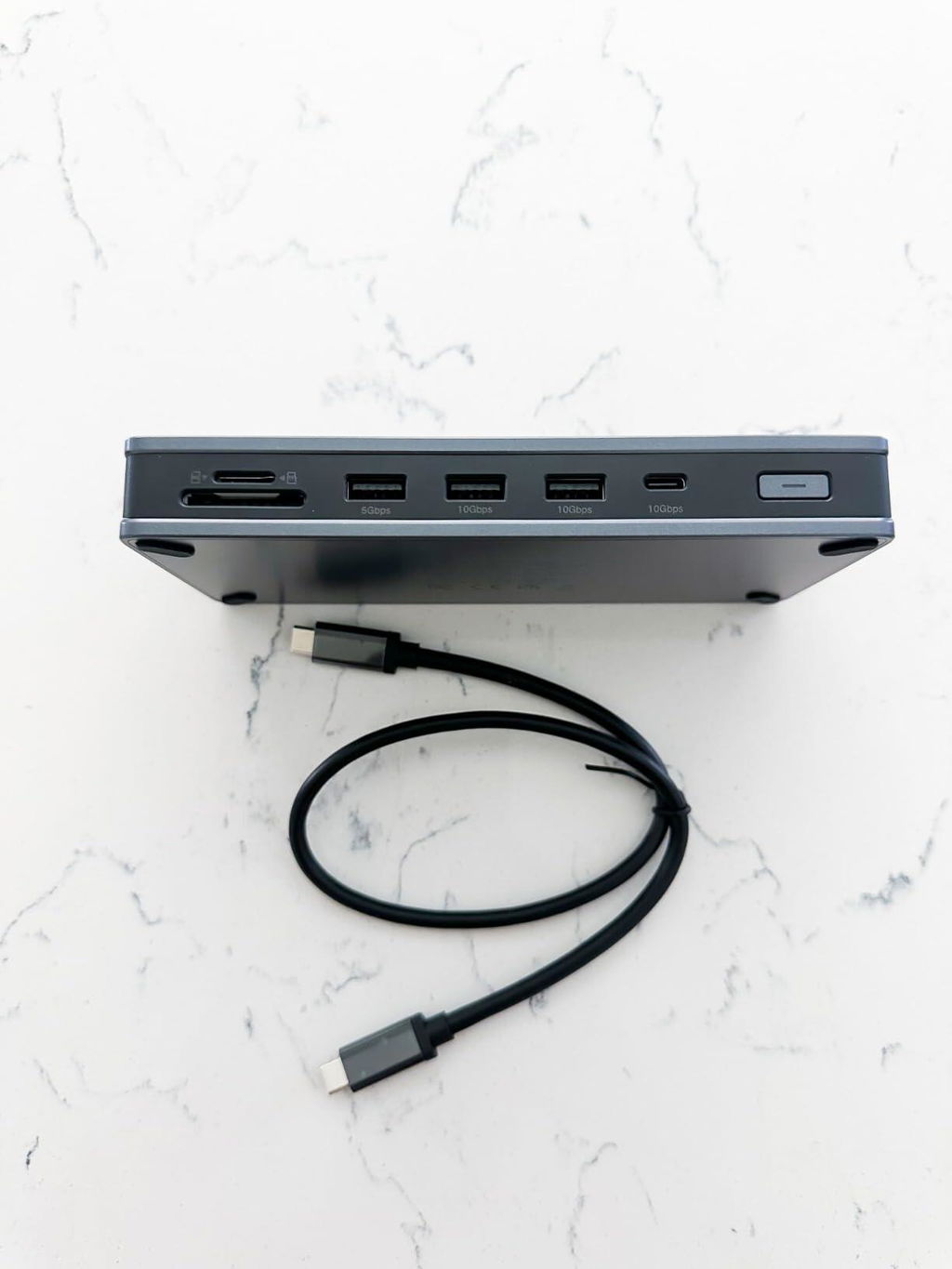
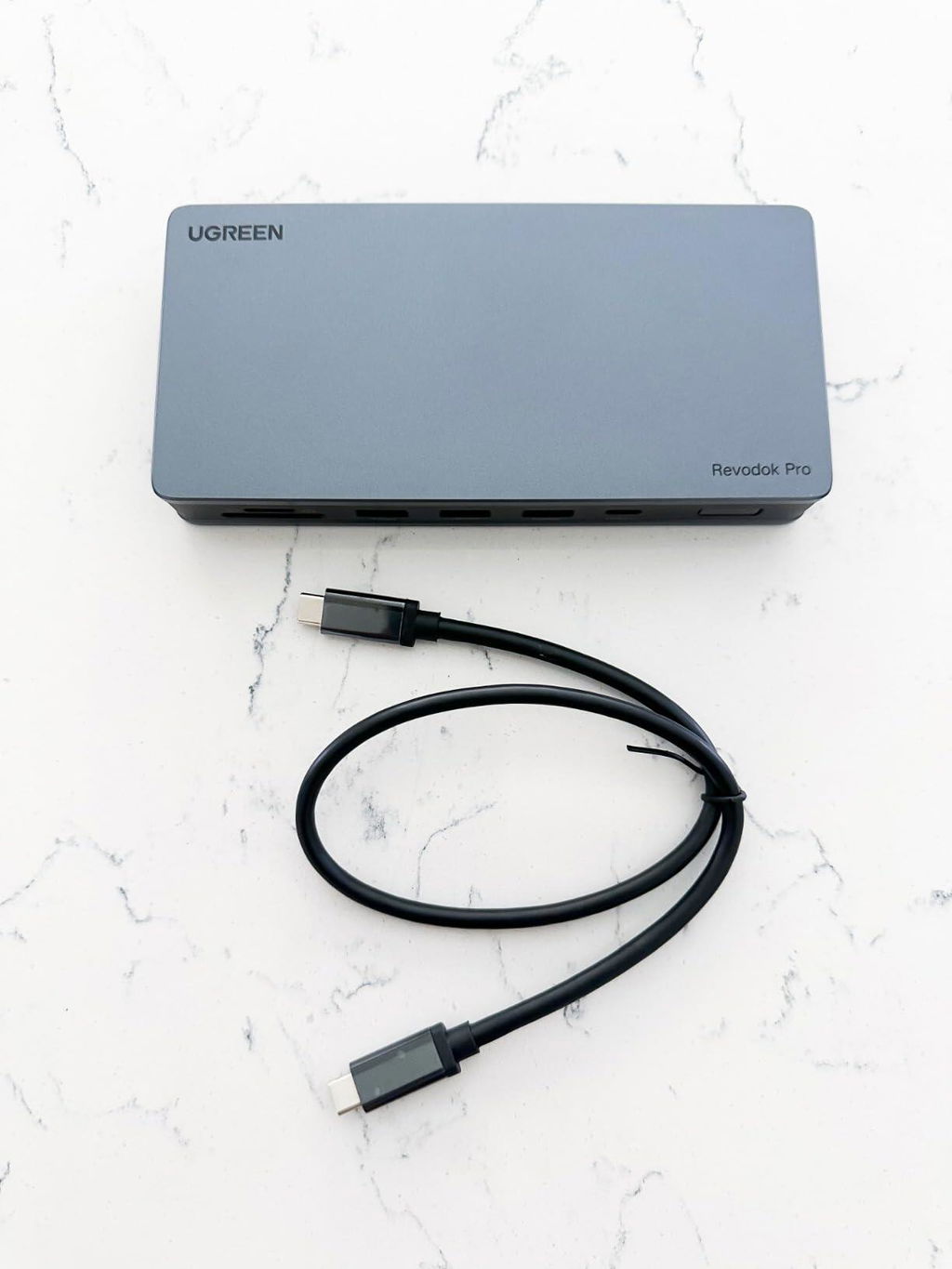
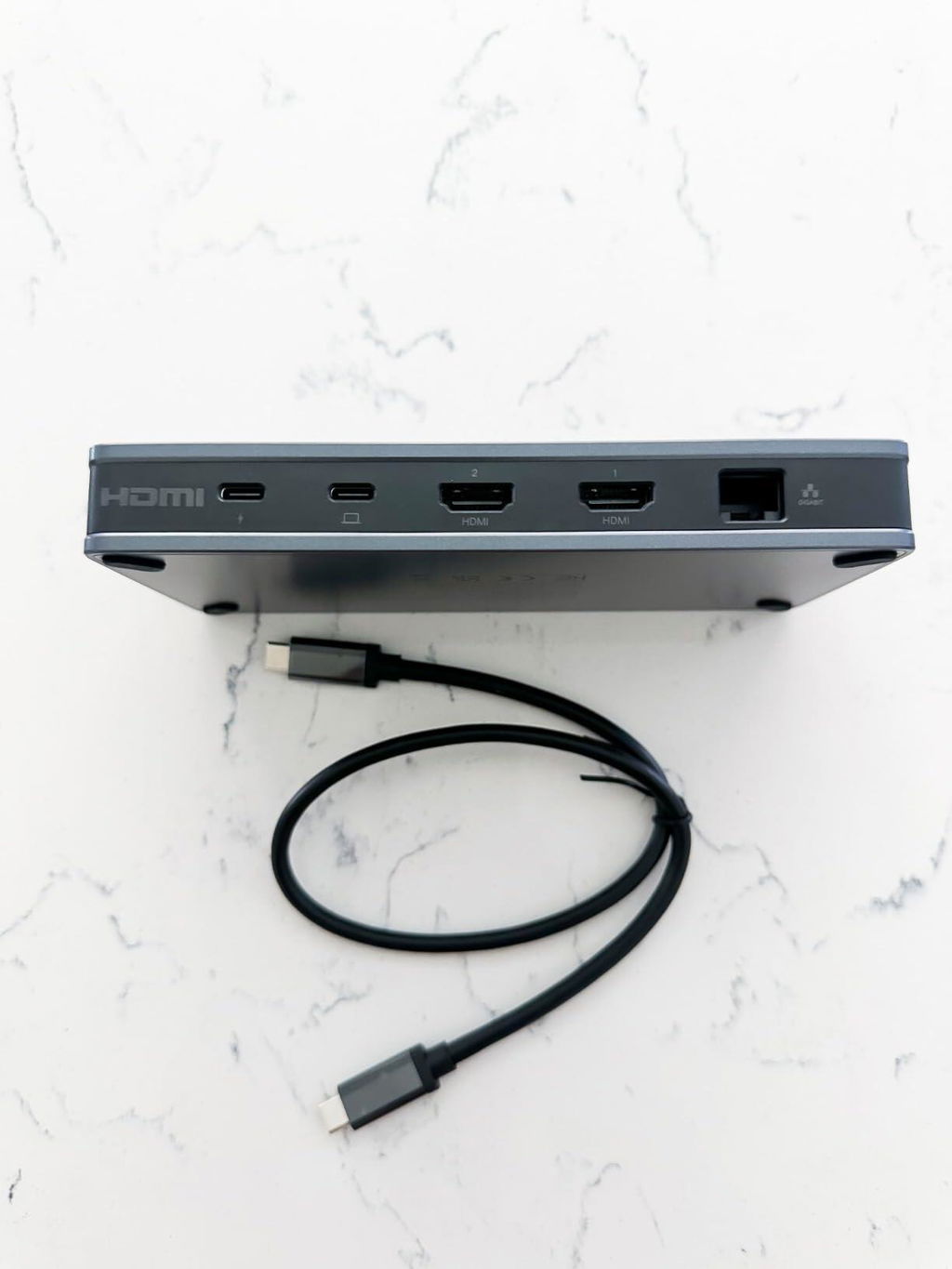
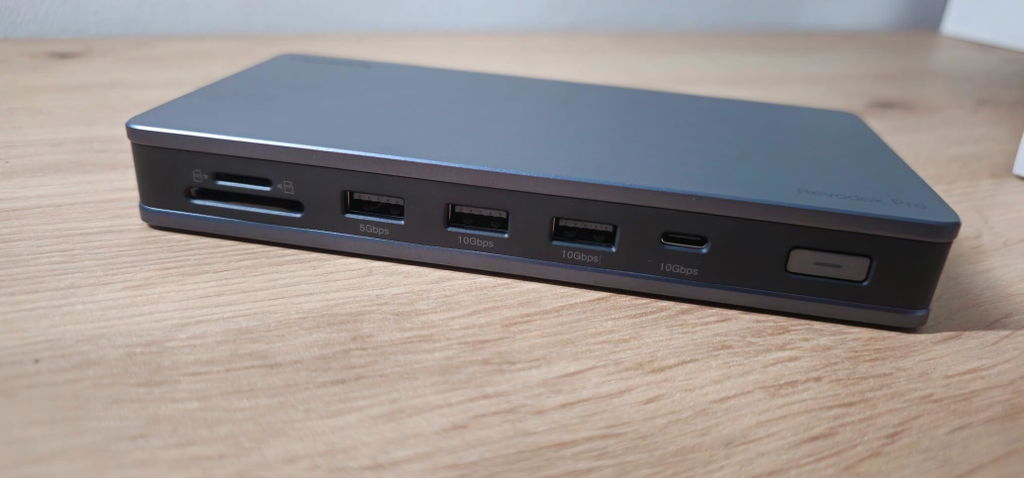
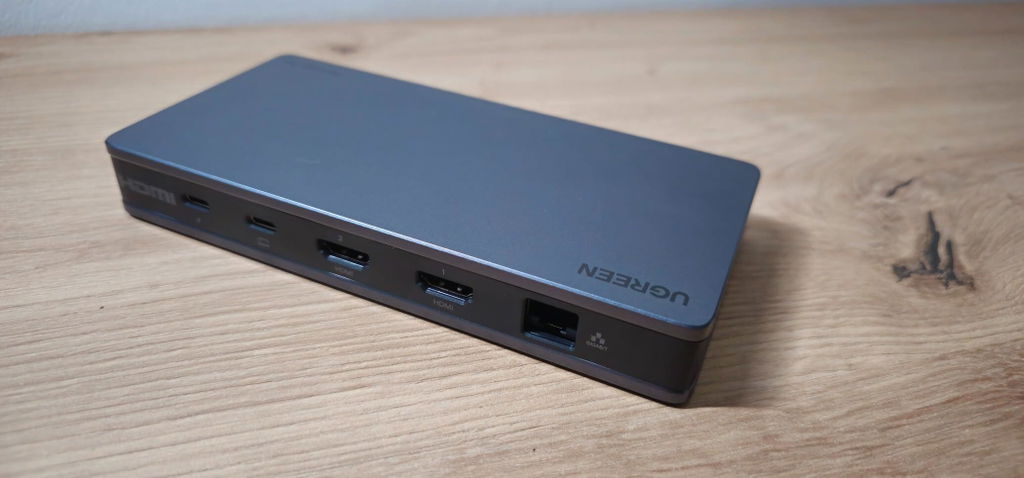
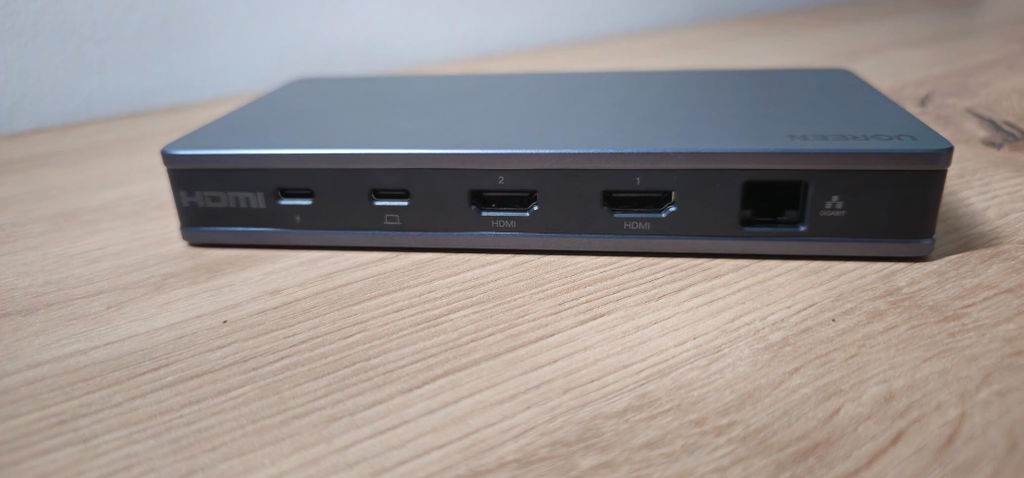
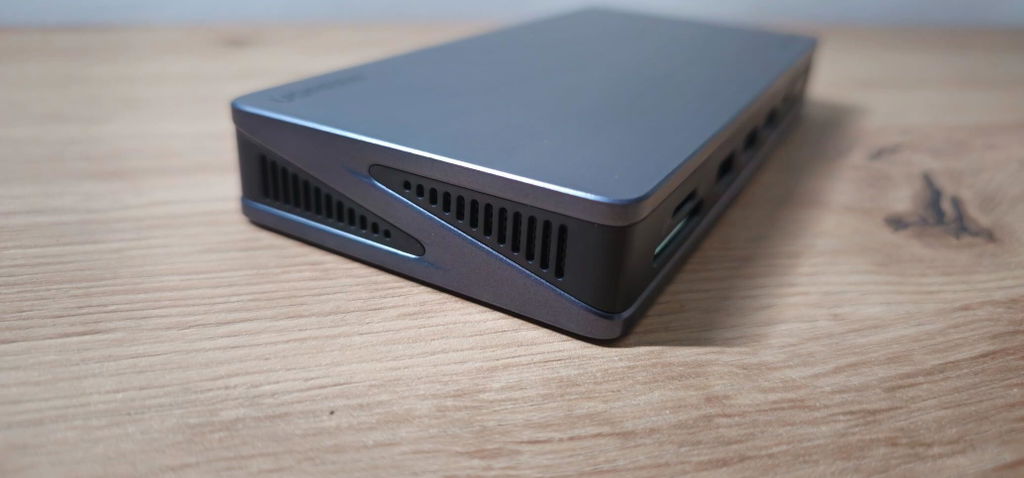
The hub looks very well made in a matt grey case with ventilated side panels. All the cables that will stay put when you are using it are round the back and those that will be changed are on the front. There is also a power button that illuminates with a white light when the docking station is on. I always wonder at the wisdom of putting a power button on a something that is managing storage devices. In Windows disk drives and memory cards need to be unmounted BEFORE the are turned off, or otherwise disconnected, to prevent damage to the file system. It would be quite easy to accidentally operate this power switch - is it really necessary?
The lead included in the box is short, approx 18”, and thick. It is obviously intended to connect the data and power paths between the hub and the host device. The hub requires power to operate, but no mains power supply or cable is included. The price of this docking station is high for what it is and a PSU should have come with it - add another £20 to the price if you need to specially purchase one, and it needs to be 100W.
To test the docking station I connected it to my iPad Pro. This has a single USB-C port on the side of the screen which is used for everything including charging, so a hub such as this would be a very useful addition.
The first thing I noticed as I was connecting things up was the failure of the hub to pass through the charging current to the iPad and in the tests that immediately followed the battery just drained away. When I later retested the hub power was passed through, although I did nothing different!
I populated as many of the ports as I could; USB-A and USB-C flash drives, SD and Micro-SD memory cards, a 5TB HDD, Logitech mouse and keyboard via a dongle, Ethernet, external power from a 100W charger and a single HDMI HD monitor.
I initially used a 20W power supply and it was insufficient - 100W is essential, especially if you use external HDDs powered through their USB data cables.
The keyboard and mouse worked well in the USB-2 socket, but I fail to see why one USB socket has to be inferior to the others. The attendant danger that you could use the wrong one would be removed if they were all USB-3 and the labelling of this hub is not clear; it is not easy to read the small grey text on a grey background.
With everything connected I could examine the contents of the storage devices using the iPad’s “Files” app and view and play files. During this part of my testing I noticed that audio was not being passed through the HDMI cable to the monitor’s speakers. To find the cause of this I disconnected the docking station and substituted a simple USB-C to HDMI adapter. This solved the problem and proved it was the hub that was causing it. When I reconnected the hub it did play sound through the monitor and, once again, I have no explanation for this.
My next test was to establish if files could be copied and moved between the various storage devices. I set up a transfer that I regularly use to test this function involving 5.6GB home movie.
When I started the transfer the monitor’s screen went black and a message popped up on the iPad to say, “The operation can’t be completed because the device disappeared”. That was the 5TB HDD that had been seen off. I had to bring it back to life by allowing Windows 7 to search for problems and repair the file system.
I Eventually I got the docking station working and connected to all the devices listed above. It is in that state now as I write this review.
In the process of getting it working I had to reconnect everything several times and there is no logic about why it sometimes works and at other times doesn’t. The 100W power supply seems to have improved things and the iPad has charged up to 100% whilst I have been transferring my test movie to every storage device that can accommodate it.
I am uncertain whether to recommend this docking station. There is no doubt that it looks very smart on the desk and the sockets are well laid out. The problems I had getting it to work stably, which have been solved purely by chance, might not be experienced if you use it with a PC or laptop - to be fair it is not specified for iOS which I am using on the iPad Pro. Other reviewers may have experience with Windows and MacOS, and also its performance driving two monitors which I haven’t covered.
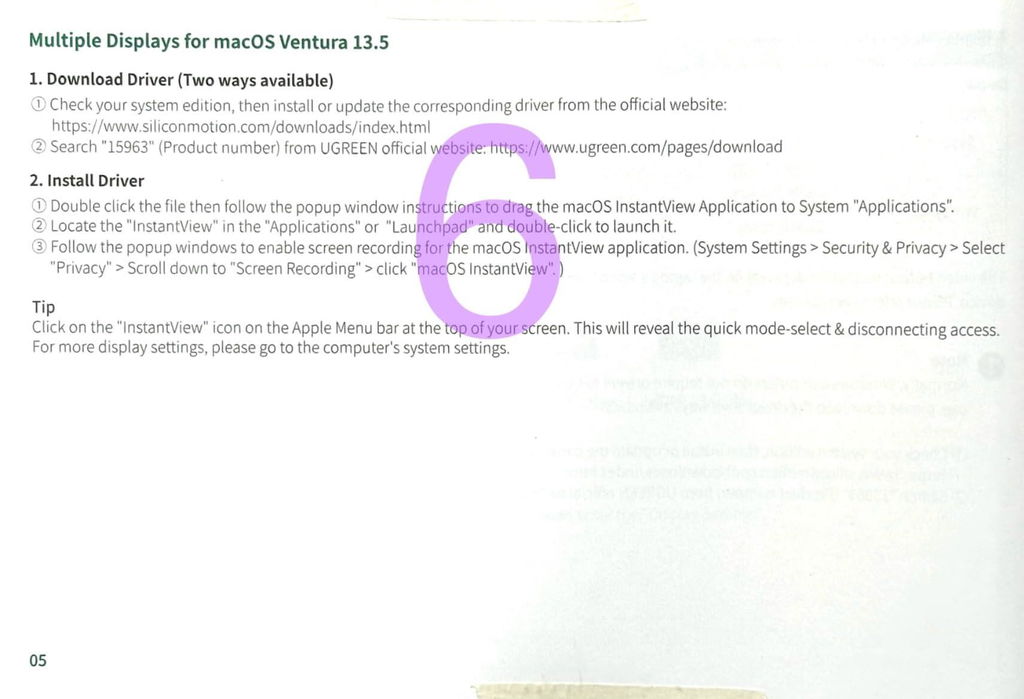
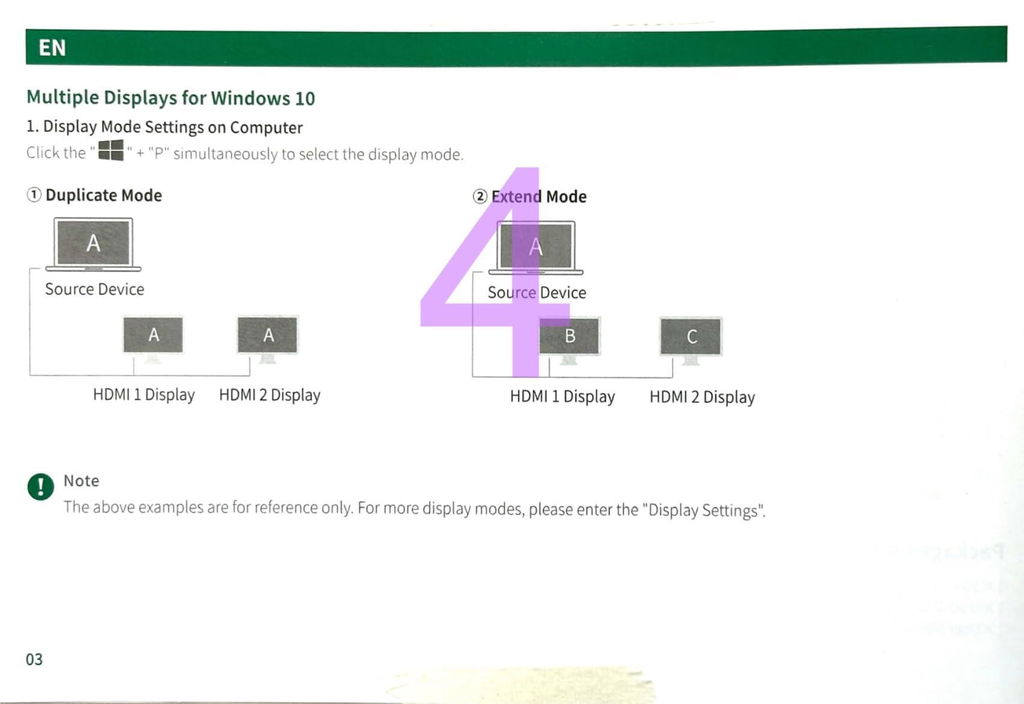


E
Al lavoro ho la necessità di spostarmi col mio portatile tra tre diverse postazioni e, in ognuna di queste, così come nell’unica postazione domestica, ho collocato un hub USB multifunzione al quale collego il portatile ad ogni spostamento. Ad esempio, in sala riunioni c'è un hub connesso solo ad un TV 55", ad un alimentatore per il Mac ed alla rete Ethernet. Tuttavia per la postazione principale, dove utilizzo per la maggior parte del tempo il portatile in compiti gravosi, avevo il desiderio di qualcosa di più sofisticato, completo e professionale.
Questa Ugreen che, se acquistata con coupon-sconto, supera non di molto i 100 euro, mi pare un perfetto compromesso tra gli hub economici che ho usato fin ora e le docking station super-professionali da post-produzione video, per me surdimensionate ed economicamente molto impegnative.
La sto usando intensamente da tre settimane, quotidianamente e per varie ore al giorno e, almeno per il momento, il mio verdetto è assolutamente positivo: problemi? Zero! Funzionalità? Tutto ciò che promette, ossia anche più del necessario (mi riferisco alla possibilità di collegare non uno ma DUE schermi esterni 4K in configurazione “estensione desktop”: personalmente uso solo uno schermo esterno, in aggiunta al display del portatile, ma non escludo, in futuro…).
La comodità di arrivare alla mia postazione, tirare fuori il Mac dalla sua custodia e collegare TUTTO in un sol colpo mediante un unico connettore tipe-C… non ha prezzo!
Chiarisco che, nel mio caso, “tutto” significa:
- Un alimentatore da 100W
- La rete cablata (gigabit ethernet)
- Il monitor esterno, collegato alla docking in HDMI
- Il dongle USB di un mouse wireless
- Un lettore micro-SD che uso spesso senza dover utilizzare scomodi adattatori
- Il più delle volte, anche un drive SSD per le funzionalità di “Time Machine”
L’ingombro di questo dispositivo sulla mia scrivania è ragionevolmente ridotto (la sua impronta è di meno di 17 cm di larghezza per 8 di profondità) e la sua faccia superiore piatta e senza feritoie di areazione (sono collocate lateralmente) mi consente di utilizzarla come base di appoggio di un ventilatore USB che viene alimentato solo quando accendo la docking mediante apposito pulsante dotato di LED.
Insomma, cosa chiedere di più? Beh, si sa… le porte USB, per quanto numerose, arriva sempre il momento che ne vorresti una o due in più: magari, collocando altrove il pulsante di accensione, se ne sarebbero potute aggiungere ancora un paio ma, considerando che mi rimangono comunque due “type-C” libere sul portatile, tutto sommato per esigenze occasionali sono a posto così.
Dunque, il voto? Cinque stelle direi che non rendono abbastanza l’idea!
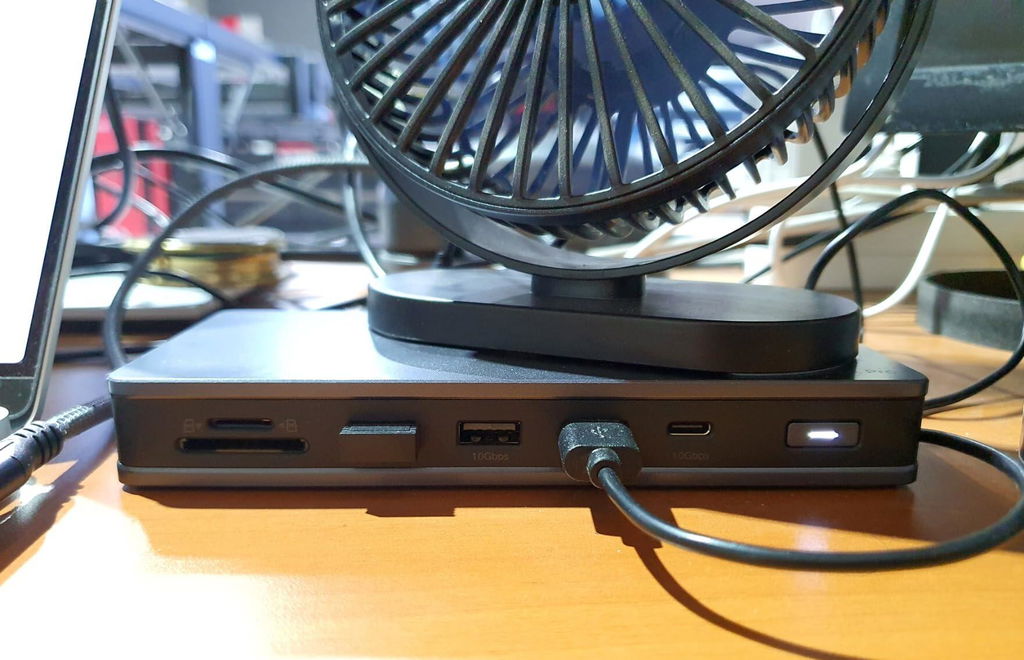
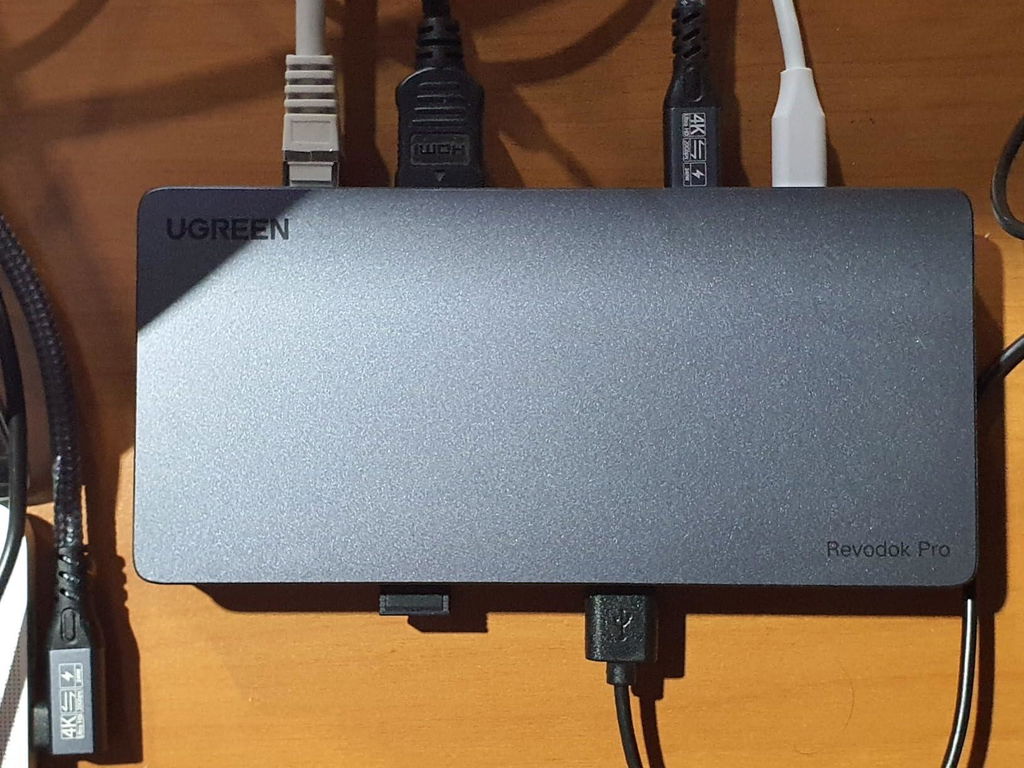
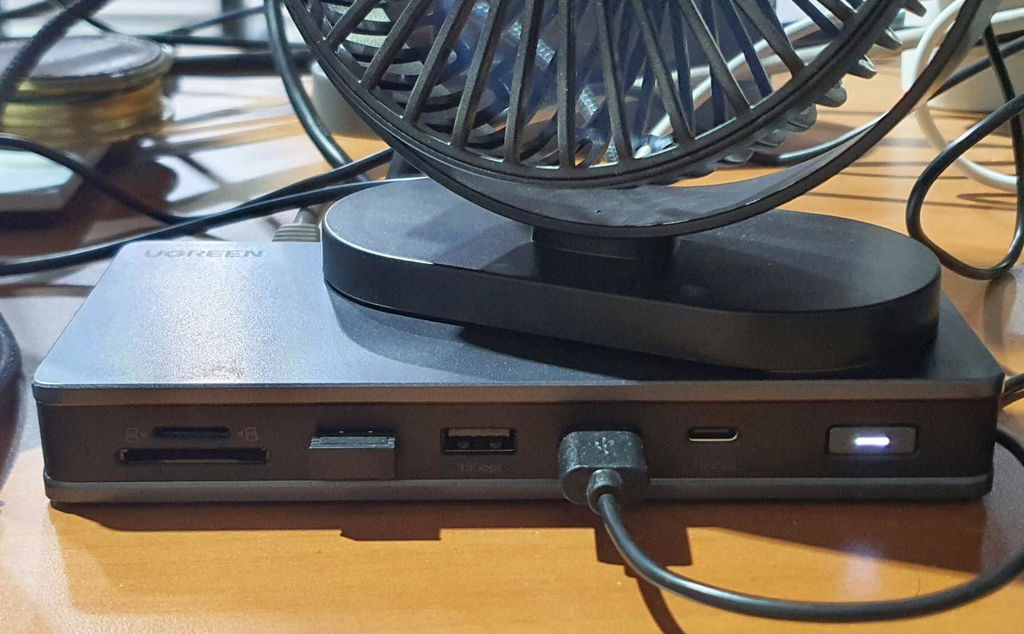
✅
--- BESTELLENTSCHEIDUNG ---
Die Bestellentscheidung für die USB-C Pro Docking Station war für mich zunächst eine gute Sache, da ich ein vielseitiges Dock gesucht habe, das all meinen Anforderungen gerecht wird. Leider sind viele USB-C Docks, die mit einem Host verbindbar sind oft nur mit 30Hz bei einer 4k Auflösung ausgestattet. Auch können oft die Datenrate, Bildübertragung, Ladegeschwindigkeit und die USB-Version stark variieren. Dieses Dock schien der Alleskönner zu sein.
--- QUALITÄT UND HALTBARKEIT ---
Die Docking Station überzeugt mit einer guten Verarbeitung. Meiner Meinung nach besser als die Docking Station von Lenovo Thinkpad.
--- VIELSEITIGE VERWENDUNG ---
Ich habe auf der Arbeit eine Lenovo ThinkPad Docking Station, welche aber mit den vielen Steckplätzen der UGREEN Docking Station mithalten kann. Leider muss ich hier einen Punkt abziehen, da es keinen USB-C oder USB-A Port auf der Rückseite gibt, was mir zu spät aufgefallen ist. Ich verwende einen KVM-Switch in meinem AORUS Monitor und versuche so viel Kabelsalat wie möglich zu vermeiden. Hier kann ich nur ein Kabel auf der Vorderseite eines Ports verwenden, welche dann nach hinten unter den Monitor gelegt wird. Sieht optisch nicht schön aus. Andere Docking Stations haben zumindest noch hinten einen 5Gbps USB Port.
--- HÖHERE AUFLÖSUNG UND HERTZ ALS ERWARTET ---
4k bei 60Hz funktioniert auf meinem Lenovo Notebook mit meinem AORUS 4k Monitor, welcher aber auch noch bis 144Hz verwendet werden kann.
--- PREIS UND LEISTUNG ---
Das Preis-Leistungs-Verhältnis ist hier leider etwas hoch. Zum Bestelldatum kostete die Dockingstation 129,99€. Aktuell mit Rabatt für 99,99€ aber im Durchschnitt.
--- SICHERE VERPACKUNG UND ZÜGIGER VERSAND ---
Die Verpackung war angemessen und schützte die Docking Station während des Versands sicher.
--- FAZIT ---
Diese Docking Station hat meine Erwartungen teilweise erfüllt und bietet fast alles, was ich mir gewünscht habe. Es ist vielseitig, hochwertig verarbeitet, nur hätte ich mir einen USB Port auf der Rückseite gewünscht (unabhängig vom USB-C Host und dem USB-C PD Steckplatz). Der Preis mit Rabatt scheint ebenfalls im Durchschnitt zu sein.
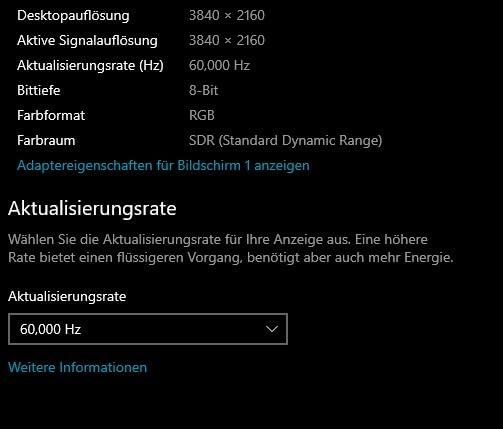
J
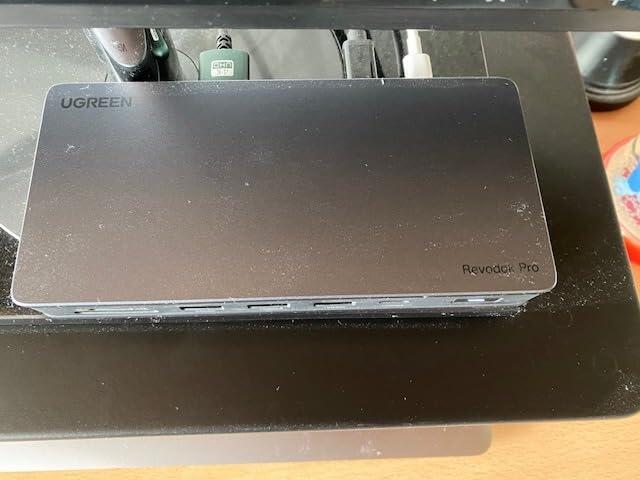
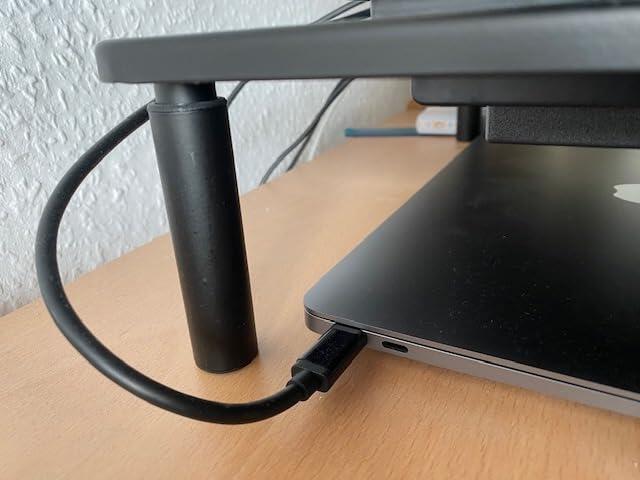
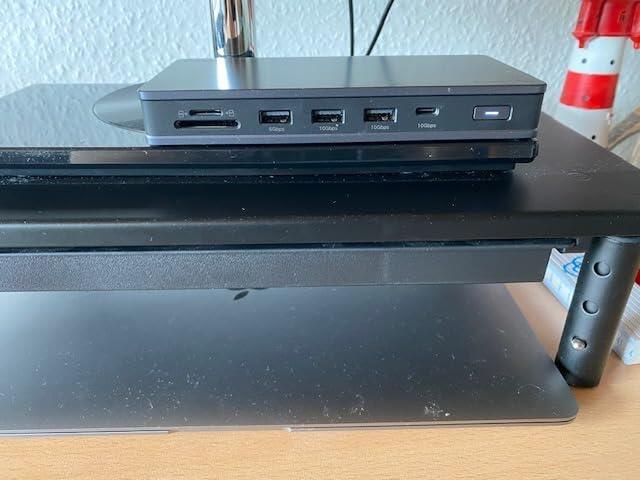
Dieser Hub bietet sämtliche Anschlüsse, die man im Alltag braucht und ist somit eine optimale Docking Station. Besonders gelungen ist auch die Positionierung der Anschlüsse, da die Anschlüsse, die man nur selten bzw. nur bei der Installation braucht, sich auf der Rückseite befinden und man somit keine hässlichen rumhängenden Kabel am Schreibtisch hat. Im Gegenzug dazu sind die Anschlüsse, die im Alltag Verwendung finden (USB A und C, (Mikro-)SD Karte) an der Vorderseite, wo sich auch der praktische Ein- und Ausschalter mit Power LED befindet. Ich hatte zuvor befürchtet, dass sich mit dem MacBook Air M1 mal wieder nur ein externer Bildschirm ansteuern lässt, aber zu meiner Freude wurde ich überrascht: Nach der Installation des Treibers, die in der Anleitung sowohl für Windows und Mac einfach beschrieben ist, war es kein Problem zwei externe Bildschirme und sogar das integrierte Display zu nutzen. Der Treiber lässt sich so einstellen, dass er automatisch im Hintergrund läuft und man gar nicht darüber nachzudenken braucht. Das persönliche Monitor Setup lässt sich sogar auf magische Weise in den Systemeinstellungen des MacBooks konfigurieren. Auch der Stromverbrauch des Hubs ist in in Ordnung, selbst mit dem Standard 30W Netzteil wird das MacBook nebenbei noch aufgeladen. Auch die Verarbeitung überzeugt mit Metall und einem modularen USB C Kabel, sodass dieses bei Bedarf durch ein längeres ersetzt werden kann und wenn es kaputt geht, ist auch nicht gleich der ganze Hub wertlos, so wie es sonst häufig ist. Der Hub ist zwar nicht gerade preisgünstig, aber sein Geld auf jeden Fall wert, da er das MacBook erst zu einem effizient nutzbaren Schreibtischcomputer umwandelt. Insgesamt gibt es für die Softwareumsetzung, die vielen Anschlüsse und die Verarbeitung verdiente 5 Sterne.
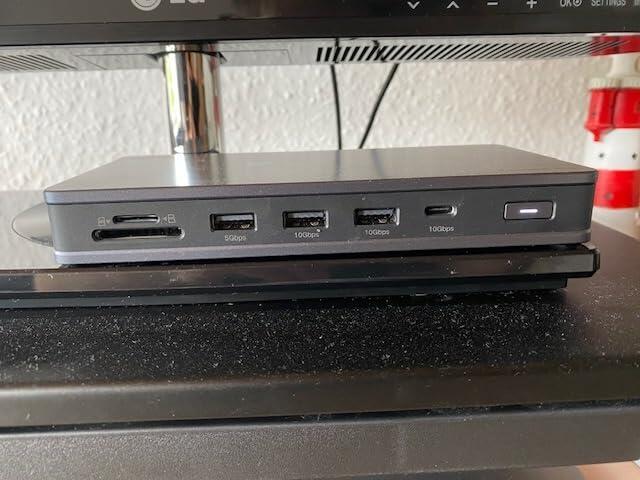
p
Ugreen ist eine extrem aktive und innovative Hardwareschmiede aus China, die nonstop neue, meist extrem hochwertig verarbeitete Zubehörprodukte, oft für den Mac-Markt maßgeschneidert, auf den Markt wirft, die mich in der Regel wirklich beeindrucken.
Bei diesem Produkt ist das nicht unbedingt der Fall.
Fangen wir mit dem großen Pluspunkt an:
Dieses Hub ist kompatibel mit der InstantView Software von Siliconmotion. Das ist bedeutsam für die Nutzer der Basiversionen der Apple M-Chips. Denn damit kann beispielsweise ein M1 MacBook Air, das älteste auf dem Markt verfügbare kleine MacBook mit M1-Prozessor zusätzlich zum eingebauten Screen zwei weitere externe Displays über die ins Hub eingebauten HDMI-Anschlüsse ansteuern. Das ist ein gewaltiges Plus, denn normalerweise lässt dieser Prozessor nur ein externes Display zu. Laut Herstellerangaben können beide Displays bis zu 4k Auflösung bereitstellen, eines davon mit 60Hz, das zweite nur mit 30Hz Bildwiederholfrequenz. Testen konnte ich es hier bei mir mit einem 4k und einem Widescreen-Monitor mit 3840x1600 Pixeln Auflösung. Ich konnte beide externen Monitore mit 60Hz bespielen!
Das ist eine Softwarelösung aber es funktioniert ausgezeichnet, frisst aber natürlich etwas Ressourcen. Allerdings wird das Monitorsignal komprimiert an die HDMI Ports übertragen, so dass zumindest die Bandbreite nicht ganz ausgelastet wird.
Man muß sich bei diesem System eines klar machen: Es funktioniert ausgezeichnet bei für den Büroalltag typischen Betätigungen, da hier der Bildinhalt nicht allzu gravierend im hohen Temp wechselt. Wer nun allerdings versucht Video-Editing zu machen oder gar zu gamen wird schnell an die Grenzen dieses Systems stoßen, da dann Prozessornutzung und Auslastung der Bandbreite gewaltig nach oben gehen.
Auch zu Bedenken: Sollte der Treiber irgendwann einmal nicht mehr vom OS des Computers unterstützt werden, dann war es das mit den zwei Monitoren...
Leider war es das für mich auch schon bei den positiven Eigenschaften.
Ugreen produziert normalerweise wirklich hochwertige Aluminiumgehäuse mit makelloser Eloxierung. Das hier ist keines von dieser Sorte. Wir haben es hier mit einem Gehäuse aus Kunstoff mit einer hübschen Lackierung, die nach Metall aussehen möchte, zu tun. Nicht so gut für die Wärmeableitung und damit wohl auch der Grund für das recht große Gehäuse.
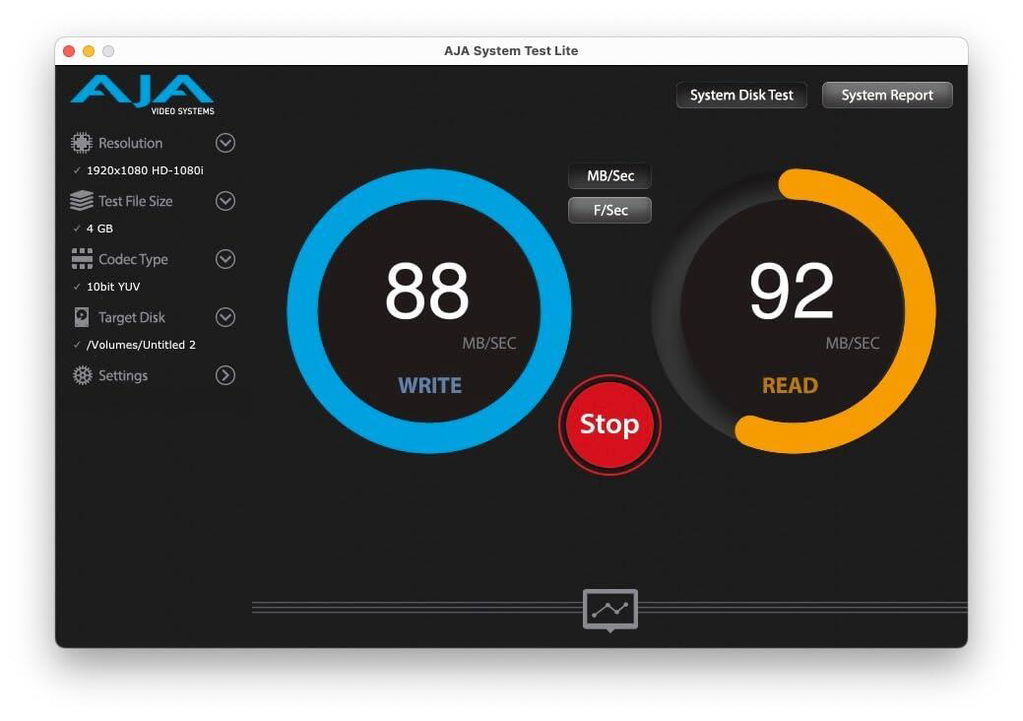
Für meinen Geschmack sollte sich 2024 kein Dock mehr "Pro" nennen dürfen, dass nur die billigsten Komponenten verbaut. Wie zum Beispiel ein SD-Kartenleser der nur Standard 3.0 unterstützt. Real gemessen habe ich mit einer extrem schnellen Karte, die bis zu 300MB/s in beide Richtungen unterstützt gerade einmal 88MB/s im Write- und 92MB/s im Lesemodus. Mit einem modernen SD 4.0 Lesegerät erreiche ich hier 229MB/s und 272MB/s. Knapp das dreifache. Somit kein Hub für Content-Creator.
Auch Ethernet mit nur 1000Mbps finde ich heute einfach nicht mehr zeitgemäß.
Beides findet sich zugegebenermaßen aber auch bei anderen Herstellern erst in höheren Preisklassen.
Dann musste ich ein weiteres Problem feststellen: Eine 4TB NVME SSD angeschlossen über USB4 wird an diesem Hub nicht erkannt. Ein vergleichbares Hub eines anderen Herstellers hat hier keine Probleme und schafft fast die maximal möglichen 1000MB/s lesend und schreibend.
Leider kann ich nicht testen, ob einfach nicht genug Strom am USB-C-Port Verfügung steht (ein 100 Watt Netzteil war angeschlossen) oder ob hier ein Busproblem vorliegt. Das bei einem neuen Dock im Jahre 2024 nicht mehr vorkommen!
Erfreulich finde ich, dass drei der USB-Anschlüsse in 10g ausgeführt sind. Inwieweit die allerdings wirklich noch nutzbar sind, wird stark vom übertragen Videosignal abhängen (siehe weiter oben).
Insgeamt hinterlässt das Ugreen Revodok Pro 2101 bei mir gemischte Gefühle.
Mit dem aktuellen Preis von unter €90 ist es sein Geld durchaus wert, aber nur wenn man unbedingt zwei Monitore am kleinen MacBook Air betreiben möchte. Ist das kein Kaufkriterium würde ich dazu raten unbedingt bei anderen Herstellern vorbeizuschauen, da man zu diesem Preis stärkere Hardware bekommen kann.
g
article tres pratique pour augmenter le nombre des differentes possibilites de branchement d autres connections a un ordinateur.et pouvoir brancher deux ecrans sur mack book air etc etc
g
article tres pratique pour augmenter le nombre des differentes possibilites de branchement d autres connections a un ordinateur.et pouvoir brancher deux ecrans sur mack book air etc etc
g
article tres pratique pour augmenter le nombre des differentes possibilites de branchement d autres connections a un ordinateur.et pouvoir brancher deux ecrans sur mack book air etc etc
S
Hub received without charger. This is not clearly indicated.
No usb ports on rear.
The cable between the doc and the computer is very short. The HDMI port offset works occasionally and my network cable doesn't fit despite the click of insertion.
In short, this isn't my first Ugreen, but frankly I'm very disappointed.
t
This is a pretty well made dock. Offers lots of ports and has no issues displaying on my (2) 24" monitors @ 1080p. Love the port assortment but keep in mind that all of the USB-A ports are on the front with one USB-C and the back only gets the main PC feed along with power via USB-C and the addition of the HDMI and network. Depending on your workflow or desk layout, it may not appeal you. In other words, if you have a host of USB-A devices and dongles, be aware they will all be sticking out of the front. Functionally, it all works well just like all other UGreen products. I do wish the power button would put my laptop to sleep but i can understand why they can't accommodate every manufacturer. Lastly and most importantly, unlike some other docking stations, this one does not come with a power supply so you will need to either use the one (USB-C output) from your own machine or purchase one that can drive both your laptop and this docking station. Not a deal breaker by any means but worth noting. Otherwise, great little docking station.
C
UGREEN Revodok Pro 2101 USB C Docking Station, 10-in-1 4K Dual Monitors Extended Dock for MacBook with 2 HDMI, 10 Gbps USB C & USB-A Data Ports, 100W PD, Gigabit Ethernet for macOS, Windows Laptops
Awesome functionality
The UGREEN Revodok Pro 2101 USB C Docking Station has awesome features. Let’s touch on some of them :
• 100 watts high speed charging PD input
• 85 watts fast charging host
• 10 GBs transfer speed 2 USB-A 1 USB-C
• 1000 mbps Ethernet (gigabit RJ45)
• SD/TF Card reader
• upgraded cooling system (dual vents, cooling silica gel and internal aluminum shell)
• Mac/PC
• Dual 4k Display expansion
• Silicone Motion Extended Modes for MacOS and windows laptop (single & multi-stream transport) or mirrored display (hdmi 2 port requires drivers to work - easily downloadable from Ugreen website)
This dock is easily portable and is a little powerhouse allowing me to extend my monitors and laptop. It comes with the dock, cable and clear and concise instructions in the manual.
I love being able to charge my MacBook Pro through the dock. It’s versatile and adds so much functionality to any system or setup you have configured.
It doesn’t get hot which is a bonus for me. With solid internal components and a robust build this is an excellent choice for a dock.
Highly recommend.
C
Works great with Razer Blade 14. I keep the laptop lid closed and charge the laptop with its OEM charger since 100W is not enough when gaming. This means I really just use this as a USB C hub. I connect my mouse, keyboard, monitor, external SSD, and Ethernet to it. This works perfectly. I get close to the advertised speed of my USB 3.2 Gen 2 SanDisk SSD while also driving 1440p 120Hz monitor which is great.
Power button does not work for my use case, but this was expected as it doesn't work with any other docking station I've tried either. Not sure if it's because of my Windows settings or because I keep the laptop lid closed and don't use the docking station for charging. Therefore, I instead put the laptop in Windows Sleep mode and turn off my monitor when leaving my desk. I can then wake it up again by turning on my monitor and pressing a key on the keyboard. Not too much of a hassle, and I don't think there's anything UGREEN could have done to fix this for my situation.
Absolutely recommend this, it will work like a dream for anyone without a weird setup like mine.